For Shopify stores · Coming soon
Stop refreshing. Start watching your store grow.
Order Ticker is a little screen that shows your Shopify sales through the day, so you can close the app and get on with your day.
Get early access.
Founding members: the first 100 get 20% off their display.
20% off the display itself. Details at launch.
- Live from Shopify: today's sales, orders, conversion and top products, next to last week and last year.
- Plug it in, join Wi-Fi, then type the code it shows into Order Ticker in your Shopify admin. Your numbers are up in a few minutes.
- A flip clock is built in. On busy days it's a scoreboard, on quiet days a good-looking clock.
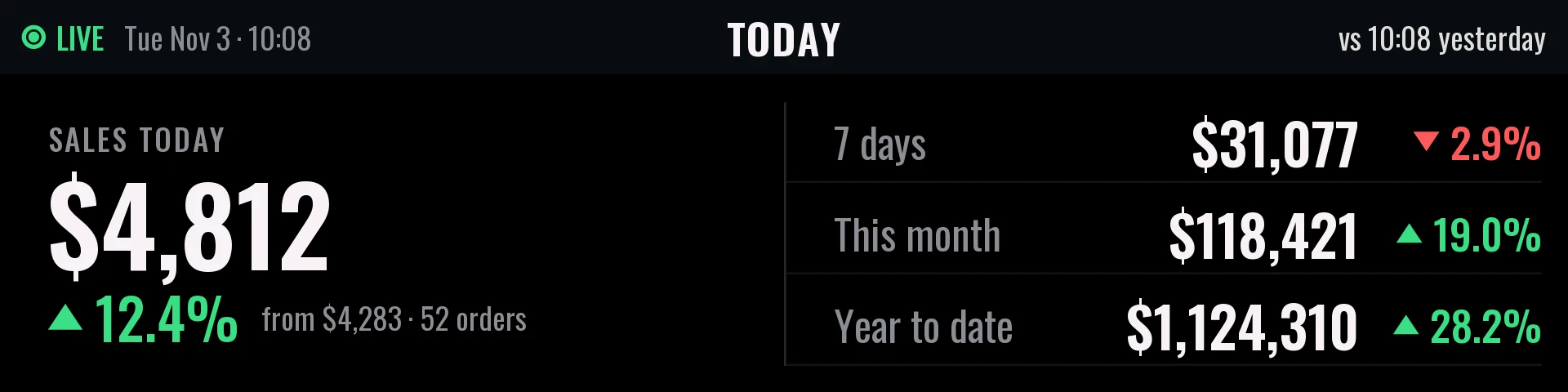
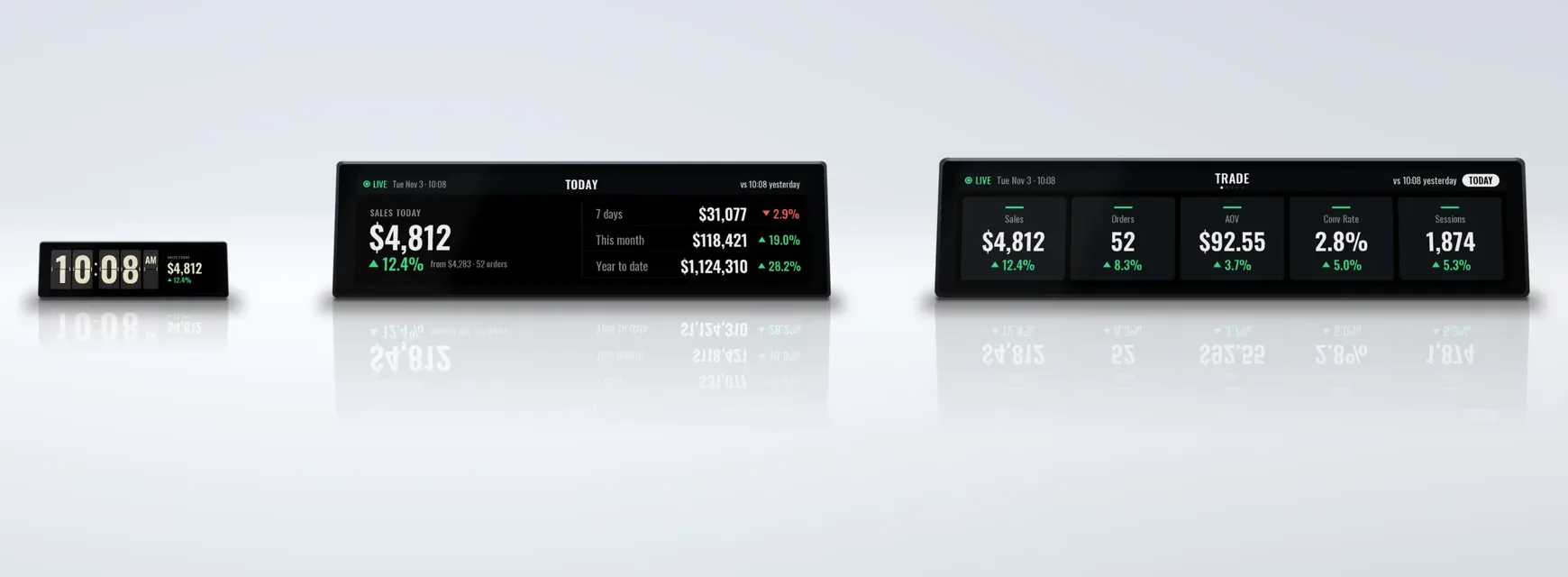
- Sales today $4,812 ▲ 12.4%
- Orders 52 ▲ 8.3%
- AOV $92.55 ▲ 3.7%
- Conv rate 2.8% ▲ 5.0%
- Sessions 1,874 ▲ 5.3%
- 7 days $31,077 ▼ 2.9%
- This month $118,421 ▲ 19.0%
- Year to date $1,124,310 ▲ 28.2%
-
You check it more than you'd admit.
First thing in the morning, between meetings, at red lights, last thing at night. Open Shopify, pull to refresh, close it, open it again.
-
Now it's just there.
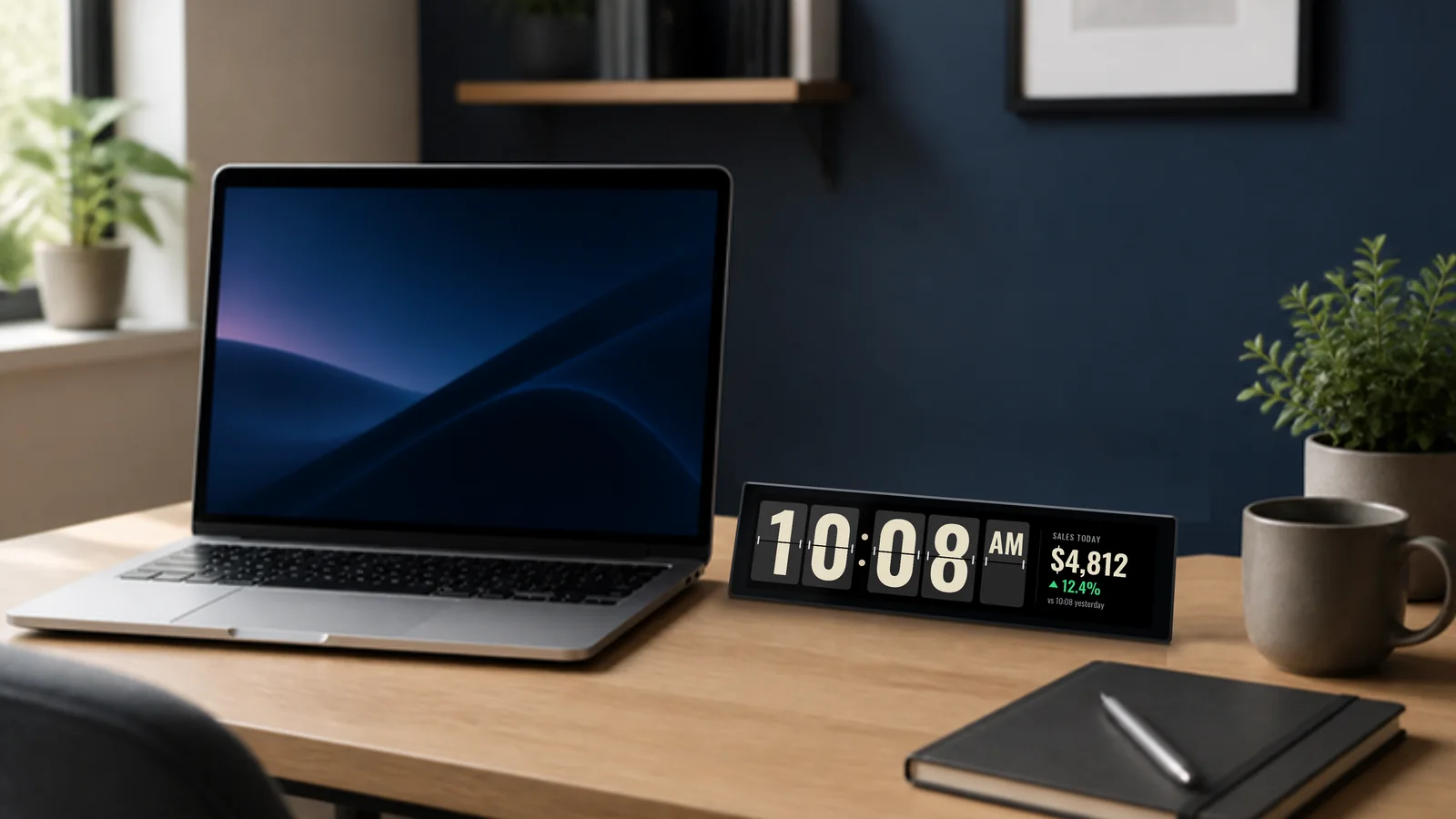
Order Ticker sits beside your laptop and keeps score for you. Sales, orders and how today compares with last week, all in one glance. No unlocking, no tabs, no refreshing.
-
And when it's a good day, you'll see it happen.
Watching the number climb never gets old.

From the founder
I'm Brodie. I help my daughter Zayin run Tequila Swim (opens in a new tab), the swimwear brand she founded on Shopify, from Kelowna, BC.
In our busy months I was opening the Shopify app 20 times a day just to see how the day was going. So in the spring I put a small screen on my desk that shows today's sales next to last week. It's been there ever since, and I check my phone a lot less.
Now there are three sizes, with a flip clock built in. We assemble every one here in Kelowna.
More than a number
A counter shows a number. Order Ticker shows how your day is going.
-
The whole day, not one figure.
Sales, orders, conversion and your best sellers, each next to last week and last year. You see how today is going, not just a total.
-
No TV, no remote, no casting.
It sits beside your laptop and it's on the moment you look up.
-
Set up from your Shopify admin.
Install the app, type the short code on the screen, done. No developer keys, no tokens, no spreadsheets.
-
It's always a clock.
A flip clock is built in. If you ever stop the subscription, it keeps telling the time.
Try it yourself
Play with a display.
This is the display's own software running in your browser, with a sample store's numbers (Harbour & Pine). Pick a model, press Play, then use it like the real thing.
Tap to turn the page. Double-tap to change the time range. Hold for the clock.
Shown at true relative size.
Who it's for
One ticker per store. Wherever you work.
-
Store owners
Your day, at a glance.
-
Running a few stores?
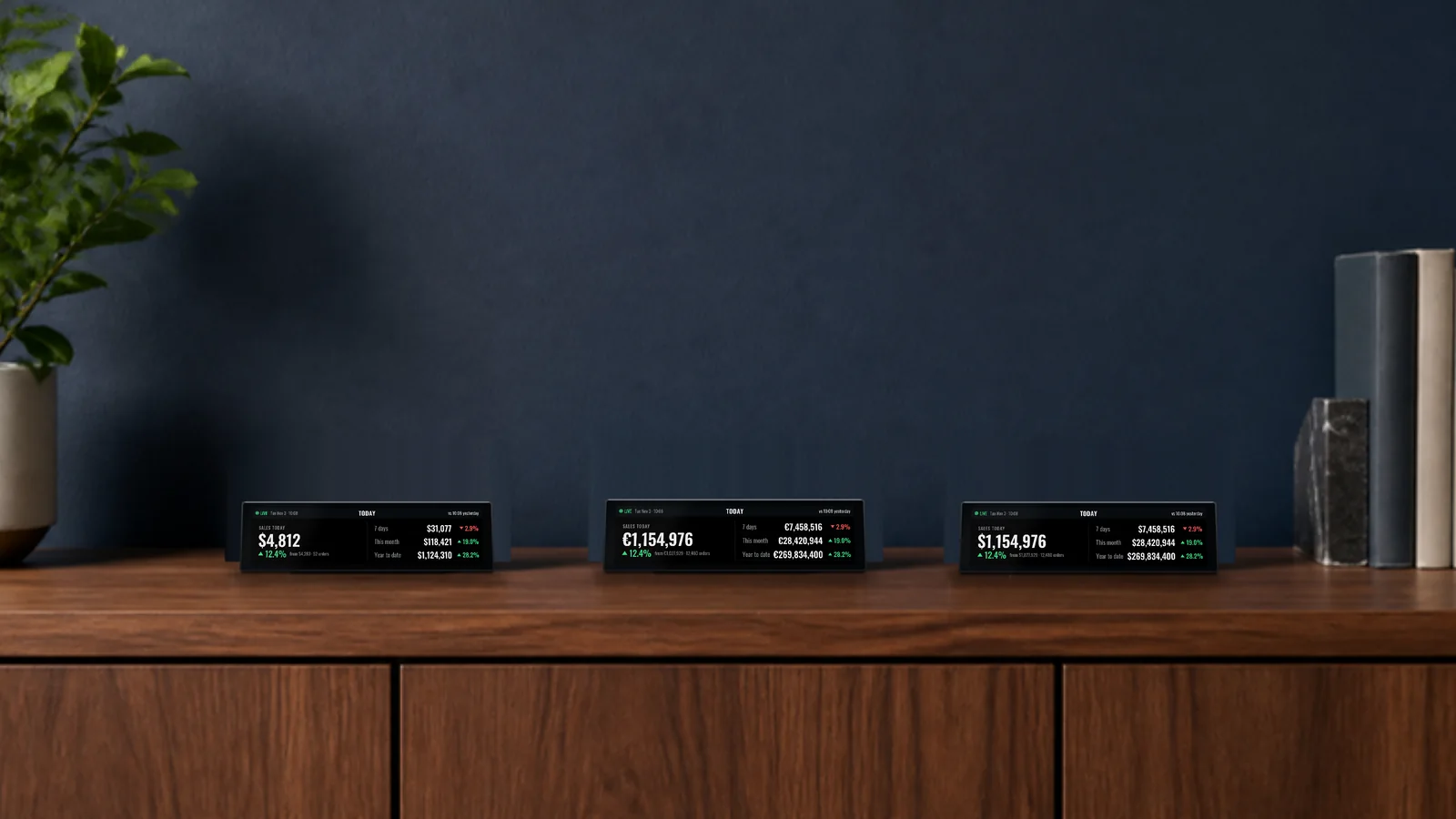
One ticker per store, side by side. Tell me you run a few stores
-
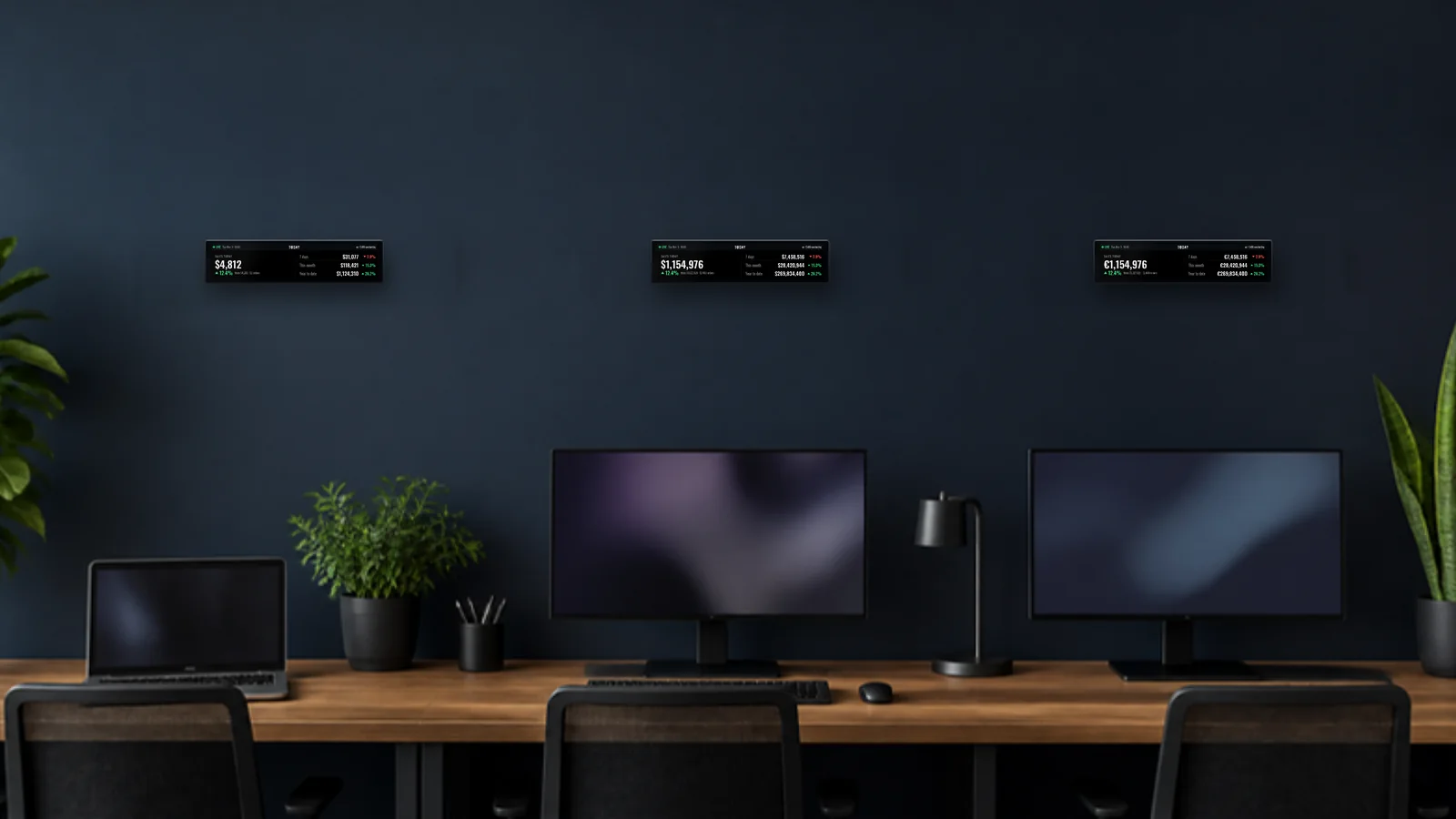
Agencies and freelancers
Your clients' stores, live on your wall. Multi-client view coming. I'm an agency
-
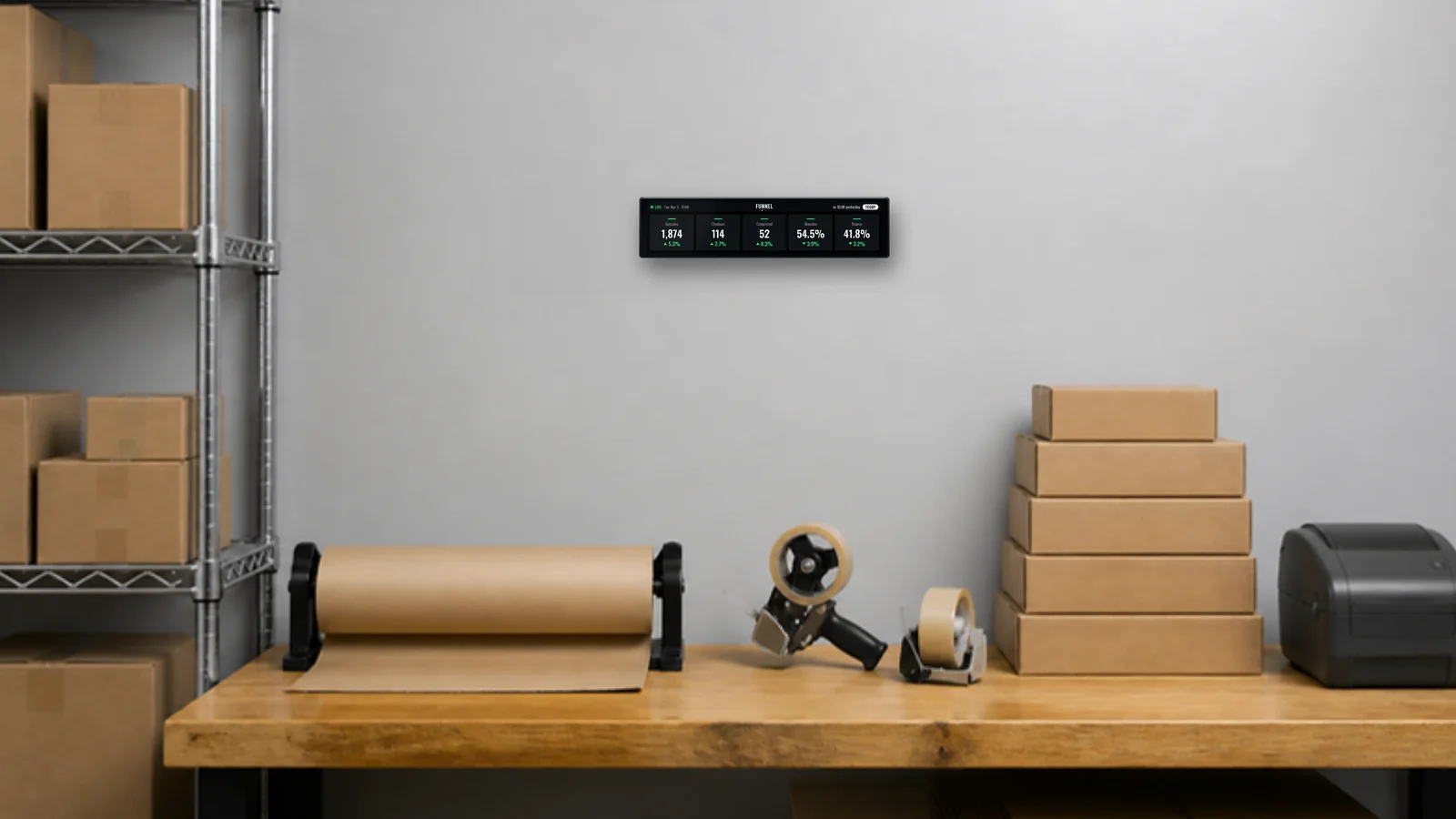
Teams
Put the day's orders where everyone can see them. Hide the dollars if you like.
See the displays
Three sizes. One look. Your numbers.
Every display shows your store the same way and updates itself. The screens are the real thing, drawn by the display's own software with a sample store's numbers.
-
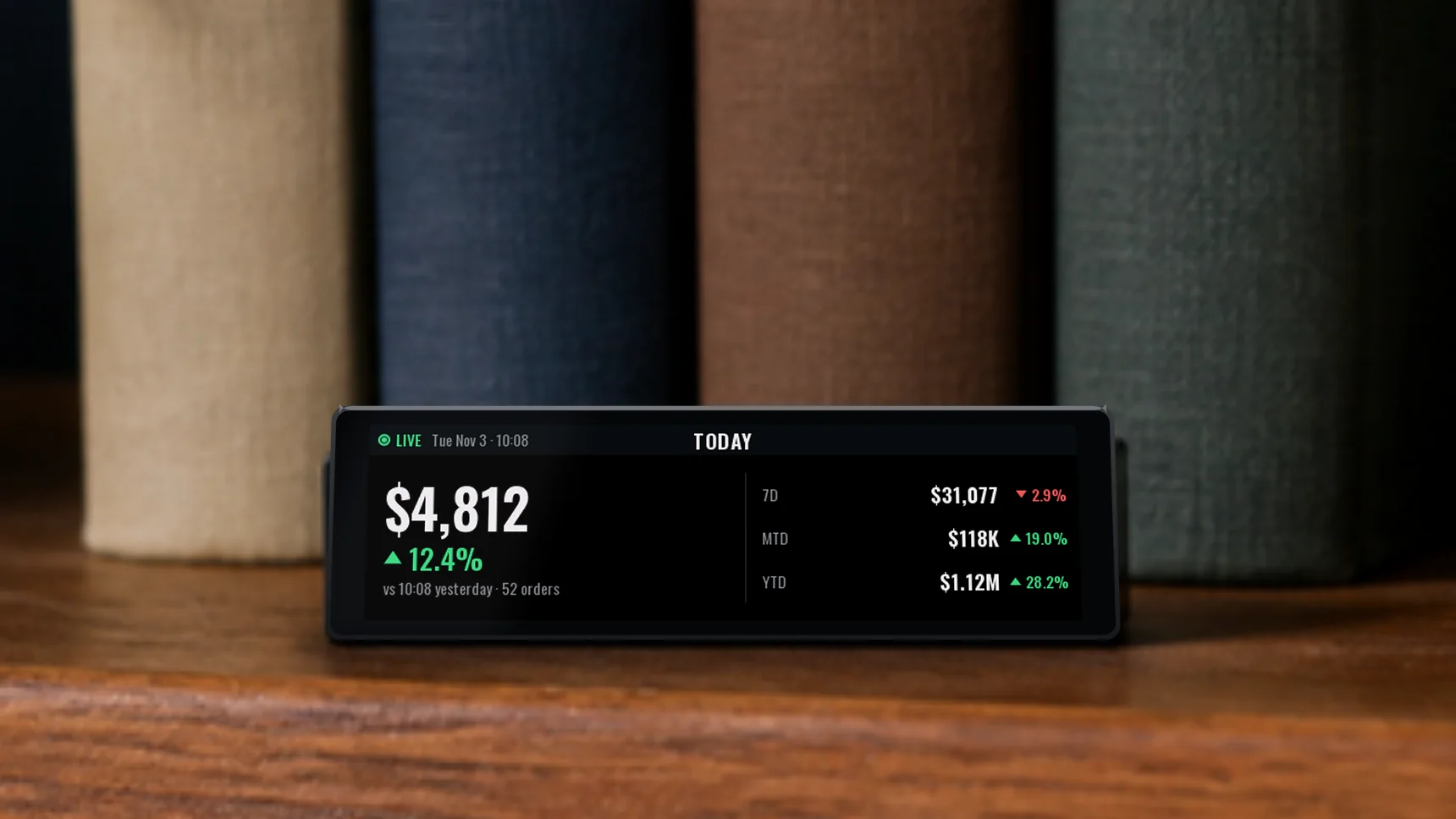
Order Ticker Mini
The small one: today's numbers and the clock in a pocket-sized screen.
- Screen 3.4", 640 x 180, colour (about 92 mm wide)
- Controls One side button
- Power USB-C, with Wi-Fi
-
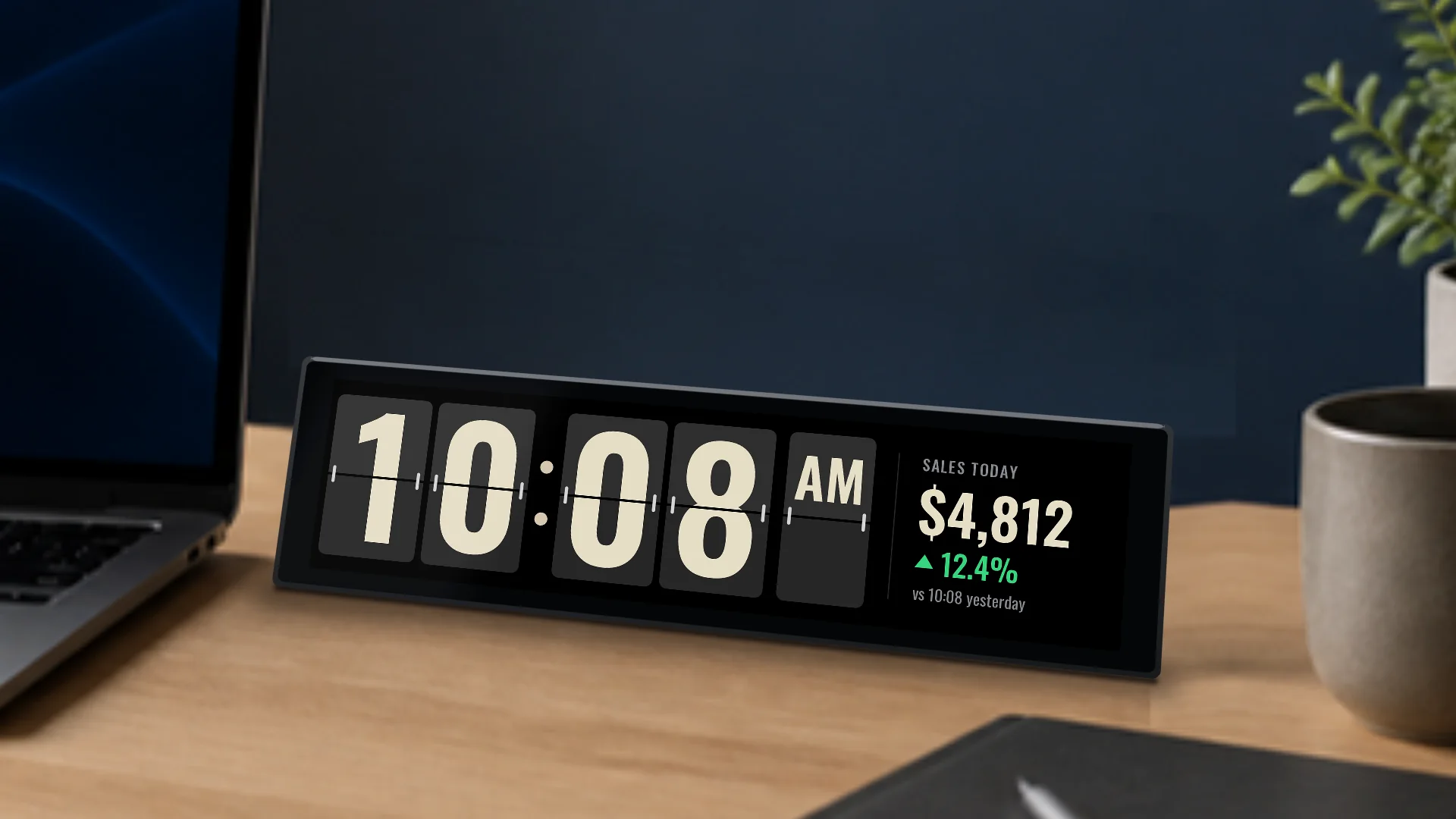
Order Ticker
The sharpest screen of the three, sized for any desk.
- Screen 8.8", 1920 x 480, colour, touch (240 mm wide)
- Controls Tap for the clock, pages and time range
- Power USB-C, with Wi-Fi
-
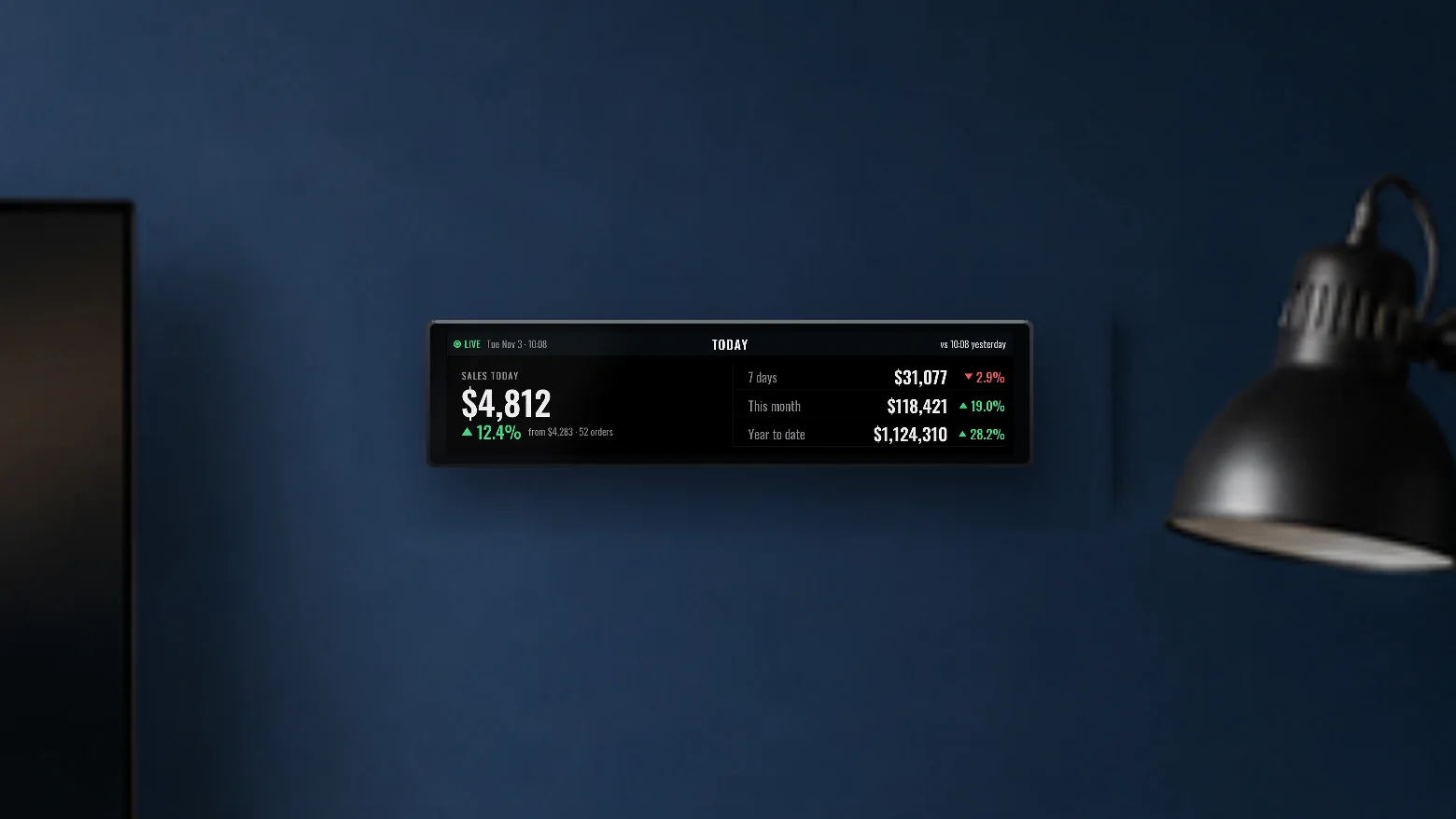
Order Ticker Max
The widest display: your store's numbers across a long, slim screen.
- Screen 11.9", 1480 x 320, colour, touch (287 mm wide)
- Controls Tap for the clock, pages and time range
- Power USB-C, with Wi-Fi
Today against the same time yesterday 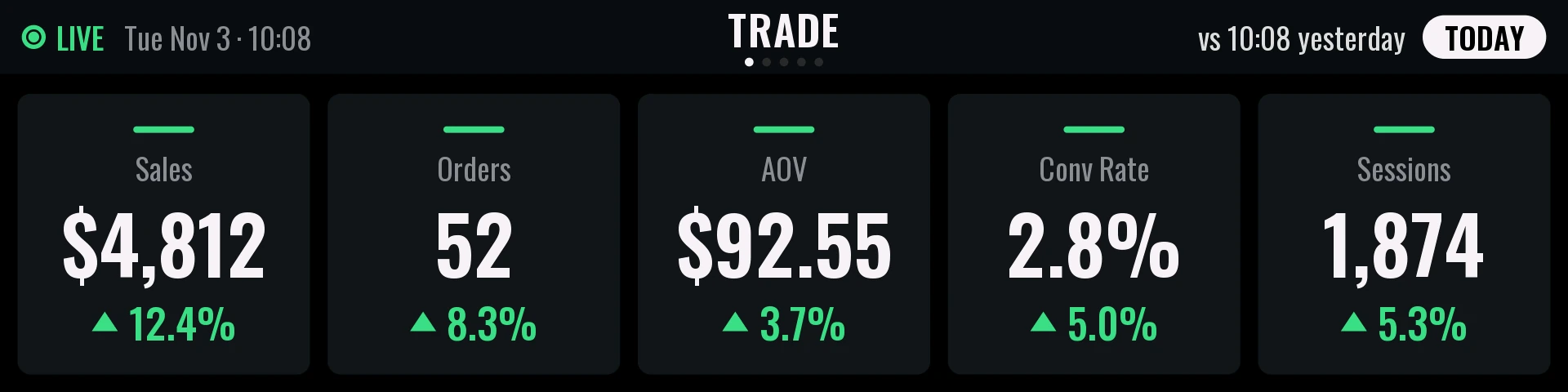
Orders, average order value and conversion 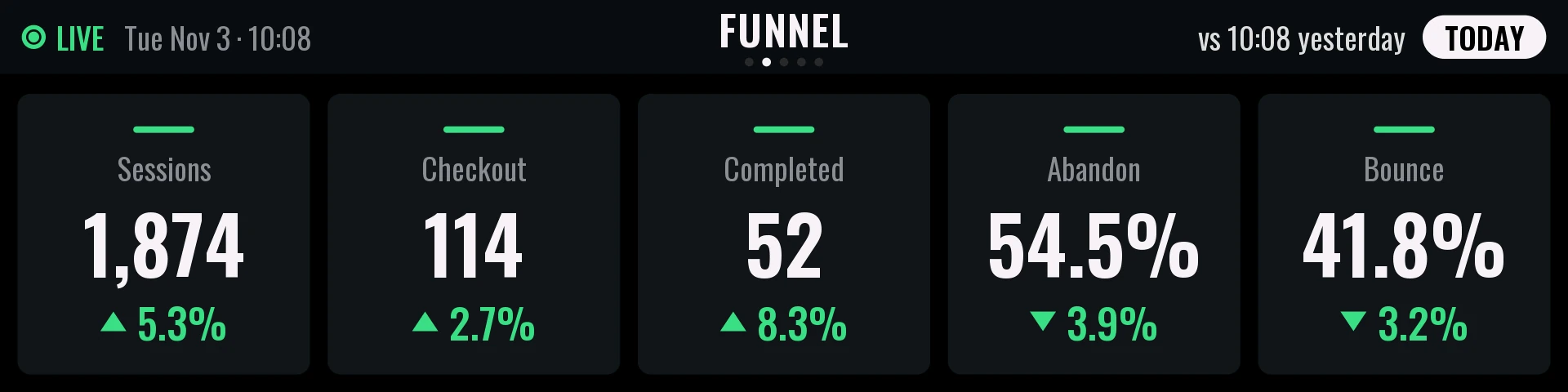
Your checkout funnel 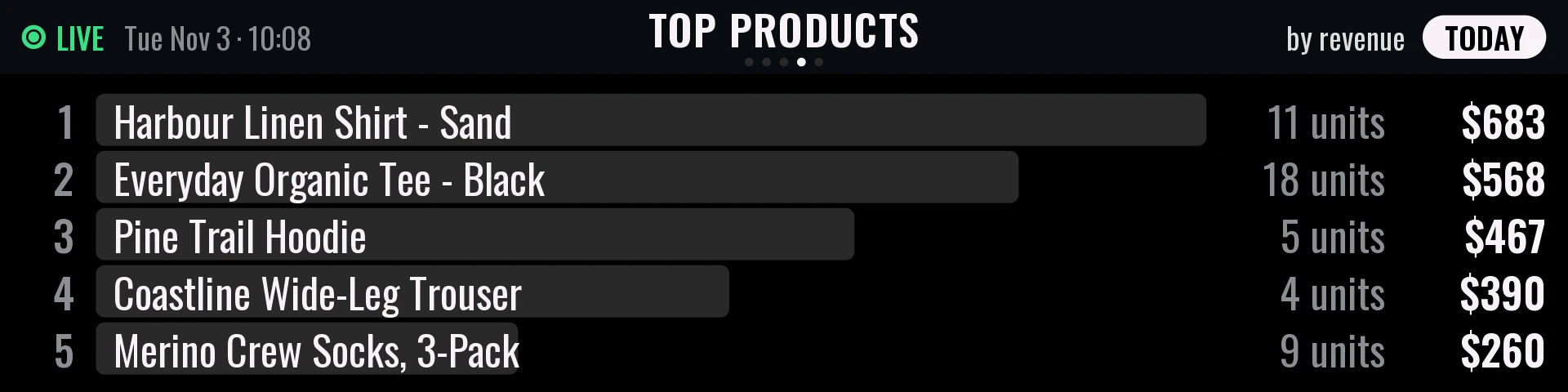
Today's best sellers
Sizes, names and details may change before launch. The room photos and the video's room are AI-generated illustrations; the screens in them are real renders.
How it works
Up and running in a few minutes.
-
Plug it in and join Wi-Fi
It powers from USB-C. Scan the QR code on the screen with your phone and pick your network.
-
Add Order Ticker to Shopify
Install the Order Ticker app from your Shopify admin.
-
Type the code on the screen
The display shows a short code. Enter it and the display is linked to your store.
-
Watch the day unfold
Your sales appear and refresh through the day. If the Wi-Fi drops, the clock keeps running.
FAQ
Questions and answers
Why is there a subscription?
The display is the screen. The subscription is the service behind it: it reads your store through the day, works out the comparisons with last week and last year, and keeps your display updated over Wi-Fi. If you stop, the flip clock keeps working, and you can pick up again any time.
How much will it cost, and when can I get one?
Pricing comes with launch. The first 100 founding members get 20% off their display. We're finishing the first units now. There's no date yet, and the waitlist hears first.
What do I need?
A Shopify store, a Wi-Fi network (2.4 GHz) and USB-C power. Then the display, the Order Ticker app on your store, and the monthly subscription.
What numbers can it show?
Sales, orders, average order value, conversion rate, sessions, your checkout funnel, discounts and refunds, repeat customers, top products and traffic sources, with comparisons to the day, week or year before. You choose which ones in the Order Ticker app in your Shopify admin.
Can I keep dollar amounts off the screen?
Yes. Turn revenue off for a device and it shows orders and traffic only. Handy for a screen your whole team can see.
Can I put my logo on it?
Yes. Add your logo and it shows in the top bar of the dashboard.
I run more than one store. Does that work?
Yes. Each display shows one store, so put one ticker beside you for each. Install Order Ticker on each store and pair a display to it. Seeing all your stores under one sign-in is coming. Join the waitlist and tell us how many you run, and we'll build it with you.
I'm an agency. Can I use Order Ticker for my clients?
Yes, one ticker per client store, each paired to that store. A view of all your clients in one place is on our list. Join the waitlist as an agency and help us shape it.
What happens if I cancel the subscription?
The clock keeps working. The dashboard shows a QR code to resubscribe, and picks up again as soon as you do.
How do updates work?
Automatically, over Wi-Fi. There's nothing to install or approve.
Which currencies does it show?
Canadian dollars, US dollars and euros.
Is there a demo mode for showing it off?
Yes. Demo mode shows a built-in sample store, marked DEMO, so you can show it off without real numbers.